Blake
English · Narration
A scanned PDF is rejected with no OCR fallback. Upload a text-based PDF instead — headers and page numbers get stripped, then export M4B, MP3 or WAV.
“VocalLab AI nailed the process, and the output is better. Way better. I love the ability to steer voices and ease of adding emotions/ sighs/ coughs.”
“I can upload a Word document, select automatic casting, click a button, and out comes a fully dramatised audiobook with different voices and performances.”
Step-by-step guide
Start for free — no credit card, no software to install.
PDF to Audiobook
Everything you need to create professional voiceovers — in one tool.
Use cases
From TikTok to podcasts — here's where creators use this tool most.
vs Standard TTS
See why creators switch from generic TTS tools to VocalLab.
| VocalLab AI | Standard TTS | |
|---|---|---|
| Audio quality | Studio-quality AI | No |
| MP3 export | Yes | No |
| SRT caption export | Yes | No |
| Word-level highlighting | Yes | No |
| Emotion & style control | Yes | No |
| Commercial rights | Yes | No |
| Instant generation | Yes | No |
| Free tier | No credit card needed | No |
Matched to this tool. Play a sample, then use it in Studio.
About this tool
A PDF converts to audiobook only if the text is selectable — a scanned page, with no underlying text layer, is rejected outright with a message asking for a text-based file instead (EPUB, DOCX and a text-based PDF all work, among 10 supported formats); there's no OCR step to fall back on. Once a text PDF is in, headers, footers and page numbers get stripped from the reading so they don't interrupt the narration, and the rest runs through the same chapter detection, casting and export as any other file.
People also search for
It means no selectable text was found in the file, which almost always means it's a scan of physical pages; upload a text-based file instead — an EPUB, DOCX, a text-based PDF or another of the 10 supported formats.
No, there's no OCR step here — a scanned PDF needs to be converted to real text elsewhere before it can be uploaded.
No, running headers, footers and page numbers are stripped out before narration so they don't interrupt the text.
Open it in any PDF reader and try to select a line — if the cursor highlights actual words, the file has a text layer and will upload fine.
Text is read from the file as it appears, so trimming footnotes or citation blocks out of the source document before upload keeps them out of the narration.
Upload your manuscript, cast the voices and export every chapter. Free to start.
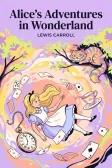
Lewis Carroll
Alice's Adventures in Wonderland
Alice asks the grinning Cheshire Cat for directions — and gets none.
The Cat only grinned when it saw Alice. It looked good-natured, she thought; still it had very long claws and a great many teeth, so she felt it ought to be treated with respect.
Cheshire Puss, would you tell me, please, which way I ought to go from here?
That depends a good deal on where you want to get to.
I don't much care where—
Then it doesn't matter which way you go.
—so long as I get somewhere.
Oh, you're sure to do that, if you only walk long enough.