Pippa
English · Narration
Turn a lesson script or course module into clear, professional audio narration, module by module, exported as MP3 with SRT captions for slides.
“VocalLab AI nailed the process, and the output is better. Way better. I love the ability to steer voices and ease of adding emotions/ sighs/ coughs.”
“I can upload a Word document, select automatic casting, click a button, and out comes a fully dramatised audiobook with different voices and performances.”
Step-by-step guide
Start for free — no credit card, no software to install.
Turn Lessons Into Audio Narration
Everything you need to create professional voiceovers — in one tool.
Use cases
From TikTok to podcasts — here's where creators use this tool most.
vs Standard TTS
See why creators switch from generic TTS tools to VocalLab.
| VocalLab AI | Standard TTS | |
|---|---|---|
| Audio quality | Studio-quality AI | No |
| MP3 export | Yes | No |
| SRT caption export | Yes | No |
| Word-level highlighting | Yes | No |
| Emotion & style control | Yes | No |
| Commercial rights | Yes | No |
| Instant generation | Yes | No |
| Free tier | No credit card needed | No |
Matched to this tool. Play a sample, then use it in Studio.
About this tool
Turn a written lesson plan or course module into clear, professional audio narration, one module at a time, so an online course or training deck has a finished voice track.
People also search for
FAQ
Something not covered here? Contact us · support@vocallab.ai
Yes, each module generates independently, so you can build a course out module by module.
You can adjust speaking pace so a module's audio fits the length of its slides more closely.
Yes, the clear instructional tone works for course platforms, onboarding decks, and compliance training alike.
Yes, SRT caption files are generated alongside each module's narration for accessibility.
Yes, generated audio comes with full commercial rights, cleared for paid course platforms.
Upload your manuscript, cast the voices and export every chapter. Free to start.
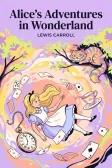
Lewis Carroll
Alice's Adventures in Wonderland
Alice asks the grinning Cheshire Cat for directions — and gets none.
The Cat only grinned when it saw Alice. It looked good-natured, she thought; still it had very long claws and a great many teeth, so she felt it ought to be treated with respect.
Cheshire Puss, would you tell me, please, which way I ought to go from here?
That depends a good deal on where you want to get to.
I don't much care where—
Then it doesn't matter which way you go.
—so long as I get somewhere.
Oh, you're sure to do that, if you only walk long enough.