Blake
English · Narration
Turn a full-length novel into an audiobook with a distinct voice per character, automatic chapter detection and export built for 10+ hour books.
“VocalLab AI nailed the process, and the output is better. Way better. I love the ability to steer voices and ease of adding emotions/ sighs/ coughs.”
“I can upload a Word document, select automatic casting, click a button, and out comes a fully dramatised audiobook with different voices and performances.”
Step-by-step guide
Start for free — no credit card, no software to install.
Novel to Audiobook
Everything you need to create professional voiceovers — in one tool.
Use cases
From TikTok to podcasts — here's where creators use this tool most.
vs Standard TTS
See why creators switch from generic TTS tools to VocalLab.
| VocalLab AI | Standard TTS | |
|---|---|---|
| Audio quality | Studio-quality AI | No |
| MP3 export | Yes | No |
| SRT caption export | Yes | No |
| Word-level highlighting | Yes | No |
| Emotion & style control | Yes | No |
| Commercial rights | Yes | No |
| Instant generation | Yes | No |
| Free tier | No credit card needed | No |
Matched to this tool. Play a sample, then use it in Studio.
About this tool
Turning a novel into an audiobook is a different job from narrating a short report or an article — a full-length manuscript runs dialogue-heavy scenes across dozens of chapters and often a dozen or more named characters, and the casting pass is what makes that manageable. Upload the finished manuscript as EPUB, TXT, PDF or DOCX, and an analysis pass reads the whole book, splits it into chapters and works out who's speaking on every line before you assign a single voice. From there you cast a distinct voice per character, or one narrator for description and separate voices for dialogue, and generate the whole book or chapter by chapter, with export following the same split for anything past roughly 8,000 segments.
People also search for
There's no fixed cap stated here — the analysis pass assigns lines to however many speaking characters your manuscript actually has.
Yes — once a voice is cast to a character or to the narrator role, it's used for every line assigned to that role across the whole manuscript.
Yes, generation can run over the whole book or selected chapters, so you can review the cast on an early chapter before committing to the rest.
Past roughly 8,000 segments, export runs chapter by chapter instead of as a single file, with one export at a time per book.
Upload your manuscript, cast the voices and export every chapter. Free to start.
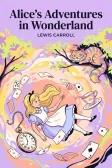
Lewis Carroll
Alice's Adventures in Wonderland
Alice asks the grinning Cheshire Cat for directions — and gets none.
The Cat only grinned when it saw Alice. It looked good-natured, she thought; still it had very long claws and a great many teeth, so she felt it ought to be treated with respect.
Cheshire Puss, would you tell me, please, which way I ought to go from here?
That depends a good deal on where you want to get to.
I don't much care where—
Then it doesn't matter which way you go.
—so long as I get somewhere.
Oh, you're sure to do that, if you only walk long enough.