

An AI podcast voice generator turns a written script into a finished host read — an intro, an ad spot, a segment recap, or a whole narrated episode — without you sitting at a microphone. You paste the script, cast a voice, and export clean audio you can drop straight into your editor.
This guide is about doing that well: where an AI host voice genuinely holds up, where it doesn't, how to cast a host (and a co-host) that listeners can tell apart, how to write a script that sounds right in the ear, and how to keep episode 40 sounding like episode 1. You can try the podcast host voice generator now, browse the full voice library, or publish in your own cloned voice.
Where an AI Podcast Voice Actually Works
Let's get the honest part out of the way first, because the wrong expectation is what makes people bounce off this tool. Synthetic voice is excellent at scripted audio and poor at spontaneous audio. Anything you would have written down anyway is a great fit. Anything whose value comes from you reacting in real time is not.
| Podcast element | AI voice fit | Why |
|---|---|---|
| Cold open / intro | Excellent | Short, scripted, repeated every episode — consistency is the whole point |
| Outro & credits | Excellent | Fixed copy, changes rarely, tedious to re-record |
| Ad reads & sponsor spots | Excellent | Sponsor-approved script, needs identical delivery every time |
| Segment bumpers / stingers | Excellent | Five-second tags you'd never book studio time for |
| Episode recaps & summaries | Strong | Written first anyway, benefits from a steady read |
| Fully narrated solo shows | Strong | Essays, news roundups, story shows — all scripted end to end |
| Two-voice scripted dialogue | Good | Works when written as dialogue; generate each speaker separately |
| Unscripted banter | Poor | Timing, overlap and laughter are exactly what synthesis can't fake |
| Live interviews | Not a fit | There's no script, and the guest is the point |
| Personality-driven shows | Depends | If listeners subscribe for *you*, don't replace you — clone yourself instead |
The blunt version: If your show trades on your personal presence — your laugh, your tangents, your chemistry with a co-host — an AI voice is a production tool, not a replacement for you. Use it for the parts nobody tunes in for, and keep the parts they do.
Casting Your AI Host Voice
A host voice is not a narrator voice. Narration wants restraint and distance; a host wants presence and a little forward lean, as though the person is talking to you rather than reading at you. (If you're after the distant, documentary register instead, our guide to the AI narrator voice covers that side.) When you audition candidates, listen for three things specifically.
Energy level
Match the format, not your mood. News and comedy shows want brightness; interview and personal-growth shows want a lower, unhurried energy that doesn't fight the subject matter.
Pace
Podcast listeners are often driving, walking or doing dishes. A slightly slower read than you'd use for video wins — people can't rewind easily with wet hands.
Warmth
Warmth is what makes a voice feel like company rather than an announcement. It's the single biggest driver of whether someone finishes the episode.
Endurance
Audition on a full paragraph, not one sentence. Some voices that sparkle for ten seconds get tiring across forty minutes — and podcast episodes are long.
Building a Two-Voice Show
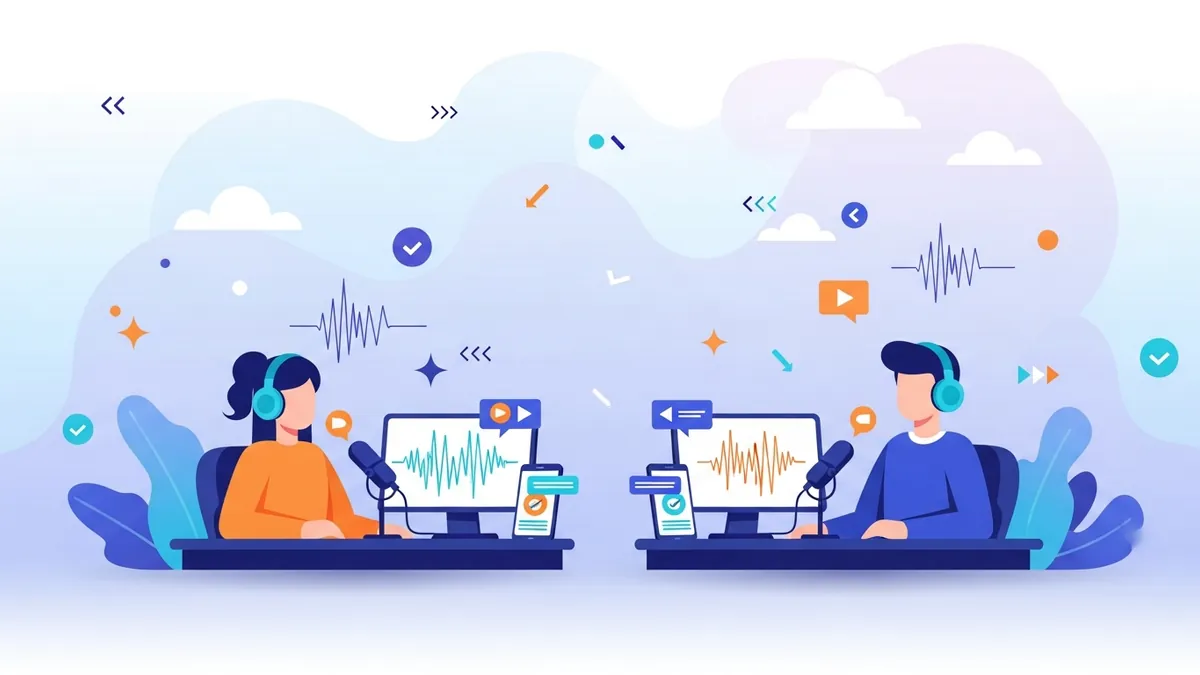
Two voices make an episode feel like a conversation instead of a lecture, and they give you a natural way to break up long stretches of information. The rule is contrast: your listeners have no faces to look at, so the only way they can tell who's speaking is by how different the two voices sound.
Contrast on at least two axes — gender, accent, pitch, or pace. A neutral-American male host paired with an elegant British female co-host is instantly legible. Two mid-range American males with similar energy will blur together by minute six, no matter how good each one sounds alone.
How two-voice shows are actually made: There's no auto-diarization or speaker detection here — you generate each speaker's lines separately with their own voice, then assemble the two tracks in your editor. It sounds like more work than it is: split the script by speaker, run two passes, and lay them end to end on a timeline.
Write for the Ear, Not the Page
Most scripts that sound robotic aren't voice problems — they're writing problems. A sentence your eye can re-read is not the same as a sentence an ear can follow once, at speed, in traffic. Rewriting the script fixes more than switching voices ever will.
- Short sentences. One idea per sentence. If you run out of breath reading it aloud, the listener runs out of attention.
- Kill nested clauses. Anything with a parenthetical inside a subordinate clause collapses in audio. Break it into two sentences.
- Signpost constantly. "Three things here. First…" gives the listener a map. Audio has no headings, so you have to say them.
- Front-load the point. Say the conclusion, then the evidence. Listeners who drift back in should still land somewhere useful.
- Use contractions. "It's" and "you're" read as human; "it is" and "you are" read as a press release.
- Punctuate for breath. Commas, periods and paragraph breaks are pacing instructions — the model uses them to decide where to pause.
- Spell out the awkward bits. Expand abbreviations, write numbers as words, and respell tricky names phonetically so they land right the first time.
In this episode, which is part of our ongoing series on productivity systems (a topic we've covered before, though not in this much depth), we'll be examining three frameworks.
✅ Today: three productivity frameworks. We've touched on this before — but never this deep. Let's start with the first one.
Give your show a host voice in the next five minutes
Paste your intro script, audition a few hosts, and export a clean MP3 — no mic, no retakes, no booking a booth.
Open the podcast host voice generatorThe Episode Workflow, Start to Finish
Lock the script
Write and edit fully before you generate. Read it aloud once yourself — every stumble you hit is a spot the AI voice will stumble too.
Split by speaker and segment
Break the script into blocks: intro, segment one, ad read, segment two, outro. For a two-voice show, split by speaker as well so each block has exactly one voice.
Generate block by block
Render each block separately rather than as one giant paste. Shorter renders are faster to preview, and a fix to one paragraph doesn't mean regenerating the whole episode.
Assemble in your editor
Drop the blocks onto a timeline in order, add your music bed, stingers and transitions, and nudge the gaps until the pacing breathes.
Master and export
Normalize the whole episode to one loudness target, export, and publish wherever you already host your feed.
One thing we don't do: We generate and export audio — we're not a podcast host. There's no RSS feed, no episode hosting, no analytics dashboard here. You download the files and publish through whatever host you already use, exactly as you would with a recorded episode.
Consistency Across Episodes
This is the quiet advantage of a synthetic host, and the one podcasters appreciate most after a few months. A human host has a cold in week nine, a different mic position in week twelve, and a louder room in week twenty. An AI host sounds identical in episode 50 as in episode 1 — provided you keep two things fixed.
Clone Your Own Voice for the Show
If your show is built on your voice, the answer isn't casting a stranger — it's cloning yourself. Record one clean sample once, and after that you can publish episodes from a keyboard: write the script, generate it in your own voice, and ship. It's the difference between needing a quiet room on a schedule and needing twenty minutes anywhere.
This is what makes AI voice practical for solo podcasters who travel, who record around a day job, or who simply hate retakes. It's especially good for the repeatable pieces — your intro, your ad reads, your standard sign-off — where re-recording the same lines every week is pure friction.
Start at clone your voice or read our walkthrough on AI voice cloning for creators. Free accounts get one voice clone; Pro raises that to ten if you're building a roster of characters or co-hosts.
One caveat worth stating plainly: clone your own voice, or a voice you have explicit written permission to use. Cloning a guest, a colleague or a public figure without consent is not a grey area.
Tell Your Listeners
Disclose it. A single line in your show notes — "segments of this episode use a synthetic voice" — or a sentence in the outro costs you nothing and protects the trust your show runs on. Listeners are far more forgiving of AI narration they were told about than of AI narration they figure out themselves.
It also matters commercially. Sponsors increasingly ask, some podcast platforms have disclosure policies, and if you're cloning your own voice for ad reads your advertiser has a legitimate interest in knowing. Say it upfront and it's a non-issue.
Audition These AI Podcast Voices
Here are six voices that work well for podcast hosting — a spread of genders, accents and energy levels so you can hear the contrast that a two-voice show needs. Press play on each, then open the full voice library to explore hundreds more.






| Voice | Accent | Tone | Rating |
|---|---|---|---|
| Friendly Dynamic Male Conversational | Neutral American | Friendly, dynamic | ★★★★★ |
| Confident Female Narrator Voice | Neutral American | Confident | ★★★★★ |
| Warm Natural Female Explainer | Neutral American | Warm | ★★★★★ |
| Lucid Male Explainer Voice | Neutral American | Clear, measured | ★★★★★ |
| Amiable Male Motivational Voice | Neutral American | Amiable, reflective | ★★★★☆ |
| Elegant British Female Narration | British | Elegant | ★★★★★ |
Beyond the Host Read
Podcast host voices
Cast a main host and generate intros, segments and full narrated episodes.
Scripts into voiceovers
Turn any finished script — ad read, recap, sponsor spot — into clean audio.
Custom voice models
Build a voice that belongs to your show and nobody else's.
Documentary segments
Give investigative or history segments a weightier, more cinematic read.
The full toolset
Browse every generator, from story narration to explainer voiceover.
What It Costs
Generation is priced in points, which work out to roughly one point per second of audio — the exact cost is calculated from characters, so treat the per-second figure as an estimate rather than a rule. A free account starts with 60 points and one voice clone, which is enough to audition voices and generate a short intro before you commit.
From there, Lite is $9/mo with about 50 minutes of audio a month, one clone, and MP3 export — comfortable for intros, outros and ad reads on a weekly show. Pro is $24/mo with about 200 minutes, ten clones, WAV export and API access, which is where you land if you're narrating full episodes or running a two-voice format. Full details on the pricing page.
Frequently Asked Questions
Can I make a whole podcast with an AI voice?▾
Yes, if the episode is scripted. Narrated formats — essays, news roundups, story shows, explainer series — work end to end. Unscripted banter and live interviews don't, because their value comes from real-time reaction rather than written words.
How do I make a two-voice podcast with a host and co-host?▾
Write the script as dialogue, split it by speaker, then generate each speaker's lines separately with their own voice and assemble the blocks in your editor. There's no automatic speaker detection or diarization — you cast each part yourself, which also means you control exactly how each one sounds.
Can I use my own voice instead of a stock one?▾
Yes. Record one clean sample, clone it, and generate episodes in your own voice without sitting at a mic. Free accounts include one voice clone and Pro includes ten. Only clone your own voice or one you have explicit permission to use.
Do I have to tell listeners the voice is AI?▾
We strongly recommend it — one line in your show notes or outro. Some podcast platforms and most sponsors have disclosure expectations, and listeners react far better to synthetic audio they were told about than to synthetic audio they discover on their own.
Can you host or publish my podcast?▾
No. We generate and export the audio — there's no RSS feed or episode hosting here, and we don't do transcription or real-time voice changing either. You download MP3 (or WAV on Pro) and publish through whatever podcast host you already use.
Give your show a host voice that never has an off day
Paste your script, cast a host, and export clean episode audio in seconds — intros, ad reads, segments or the whole show.
Related: AI narrator voice and Best tools for video narration.