Blake
English · Narration
Turn your children's chapter book or read-along into audio: upload the manuscript, cast a vibrant voice per character, and export MP3 + SRT.
“VocalLab AI nailed the process, and the output is better. Way better. I love the ability to steer voices and ease of adding emotions/ sighs/ coughs.”
“I can upload a Word document, select automatic casting, click a button, and out comes a fully dramatised audiobook with different voices and performances.”
Step-by-step guide
Start for free — no credit card, no software to install.
Children's Audiobook Voice Generator
Everything you need to create professional voiceovers — in one tool.
Use cases
From TikTok to podcasts — here's where creators use this tool most.
vs Standard TTS
See why creators switch from generic TTS tools to VocalLab.
| VocalLab AI | Standard TTS | |
|---|---|---|
| Audio quality | Studio-quality AI | No |
| MP3 export | Yes | No |
| SRT caption export | Yes | No |
| Word-level highlighting | Yes | No |
| Emotion & style control | Yes | No |
| Commercial rights | Yes | No |
| Instant generation | Yes | No |
| Free tier | No credit card needed | No |
Matched to this tool. Play a sample, then use it in Studio.
About this tool
You've written a children's chapter book or read-along and you're weighing an audio edition — upload the manuscript, cast a vibrant narrator like James for the story, and give recurring characters their own voice from the library without booking a cast of narrators.
People also search for
FAQ
Something not covered here? Contact us · support@vocallab.ai
Upload the manuscript, let it split into chapters, cast James as narrator, and generate the whole book or a chapter at a time.
Yes — lines are matched to each character, and you cast a distinct voice from the library for any character you want to stand out.
James is a vibrant, expressive default voice, and per-line emotion tags keep delivery lively rather than flat.
Full commercial rights are included, so you can sell the finished audiobook or license it into a read-along app.
Upload your manuscript, cast the voices and export every chapter. Free to start.
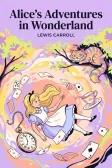
Lewis Carroll
Alice's Adventures in Wonderland
Alice asks the grinning Cheshire Cat for directions — and gets none.
The Cat only grinned when it saw Alice. It looked good-natured, she thought; still it had very long claws and a great many teeth, so she felt it ought to be treated with respect.
Cheshire Puss, would you tell me, please, which way I ought to go from here?
That depends a good deal on where you want to get to.
I don't much care where—
Then it doesn't matter which way you go.
—so long as I get somewhere.
Oh, you're sure to do that, if you only walk long enough.